Build your presentation
Add up to 60 photos, videos up to ten minutes, up to three realtor profiles and two logos. Arrange your media, add photo comments and open-house dates, then fine-tune the overlay in Preview.
 Open House Studio
YOUR LISTING. IN THE SPOTLIGHT.
Bring your listing to life on Apple TV with photos, video, realtor profiles, brokerage logos and a visitor QR code.
Designed for iPhone, iPad and Apple TV.
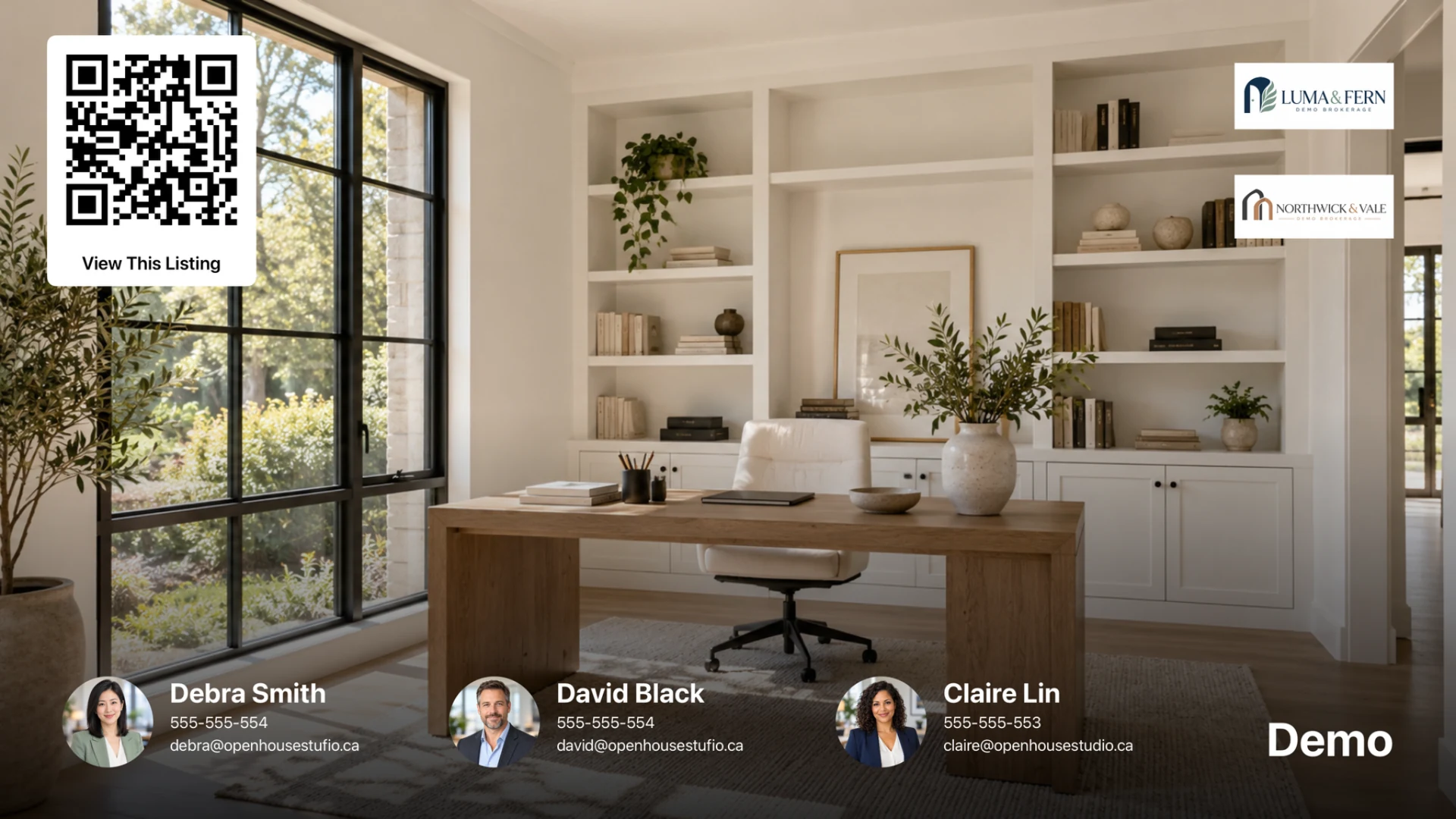
LESS SETUP. MORE SHOWING.
Add up to 60 photos, videos up to ten minutes, up to three realtor profiles and two logos. Arrange your media, add photo comments and open-house dates, then fine-tune the overlay in Preview.
Scan the Apple TV’s QR code or enter its numeric code, then tap Publish Listing. The app uploads your presentation and pairs the TV automatically, with upload progress shown along the way. Active plan access is required.
Loop photos and videos with smooth fades, optional music and your branded overlay. Keep up to three open houses on each TV and press Back to choose one. Tweak a paired listing with Update Listing.
A LOOK INSIDE
Create on iPhone or iPad, preview the details, then present on Apple TV.
Swipe to explore → · Tap to enlarge
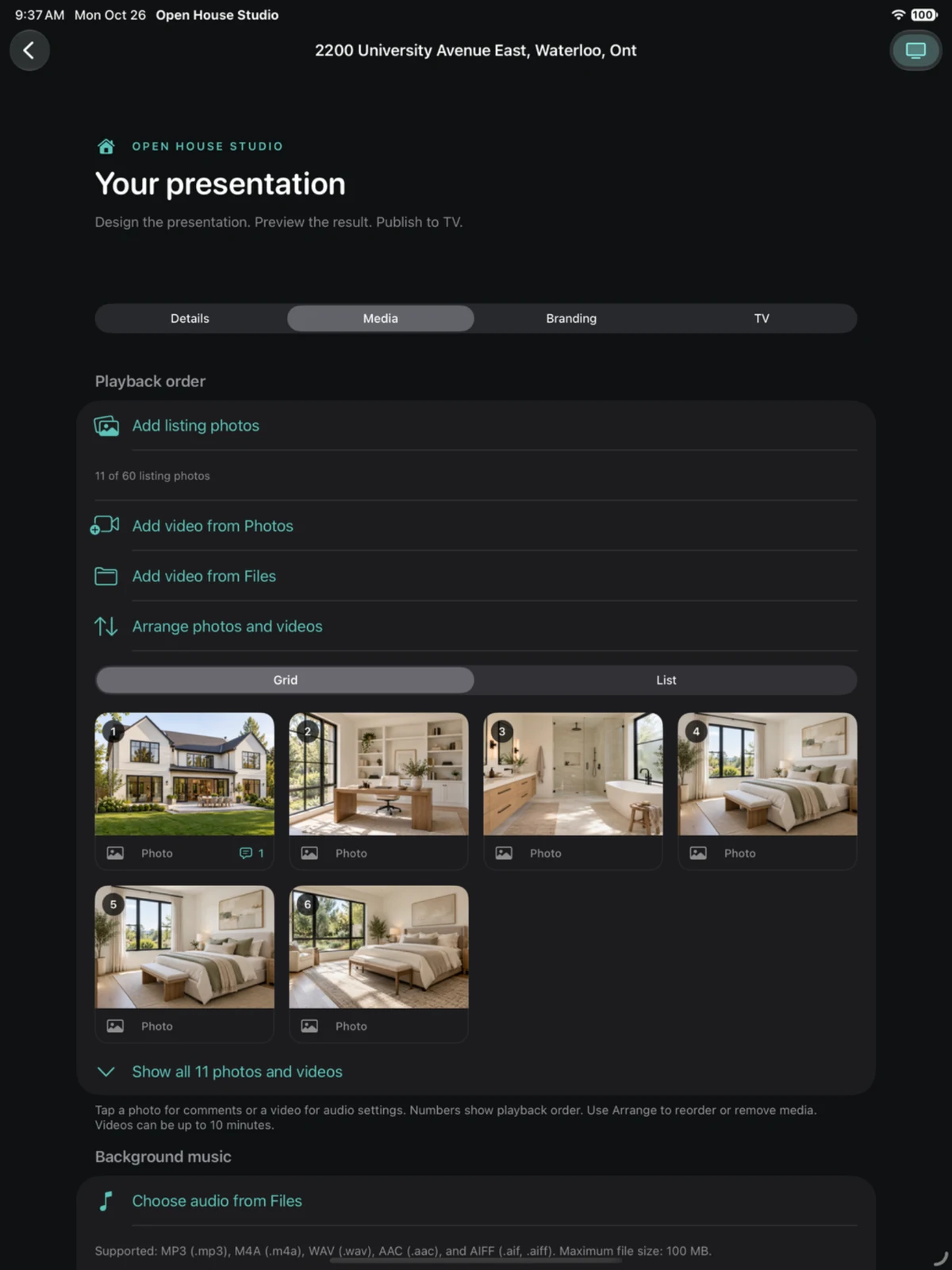
Arrange property photos and videos on iPad.
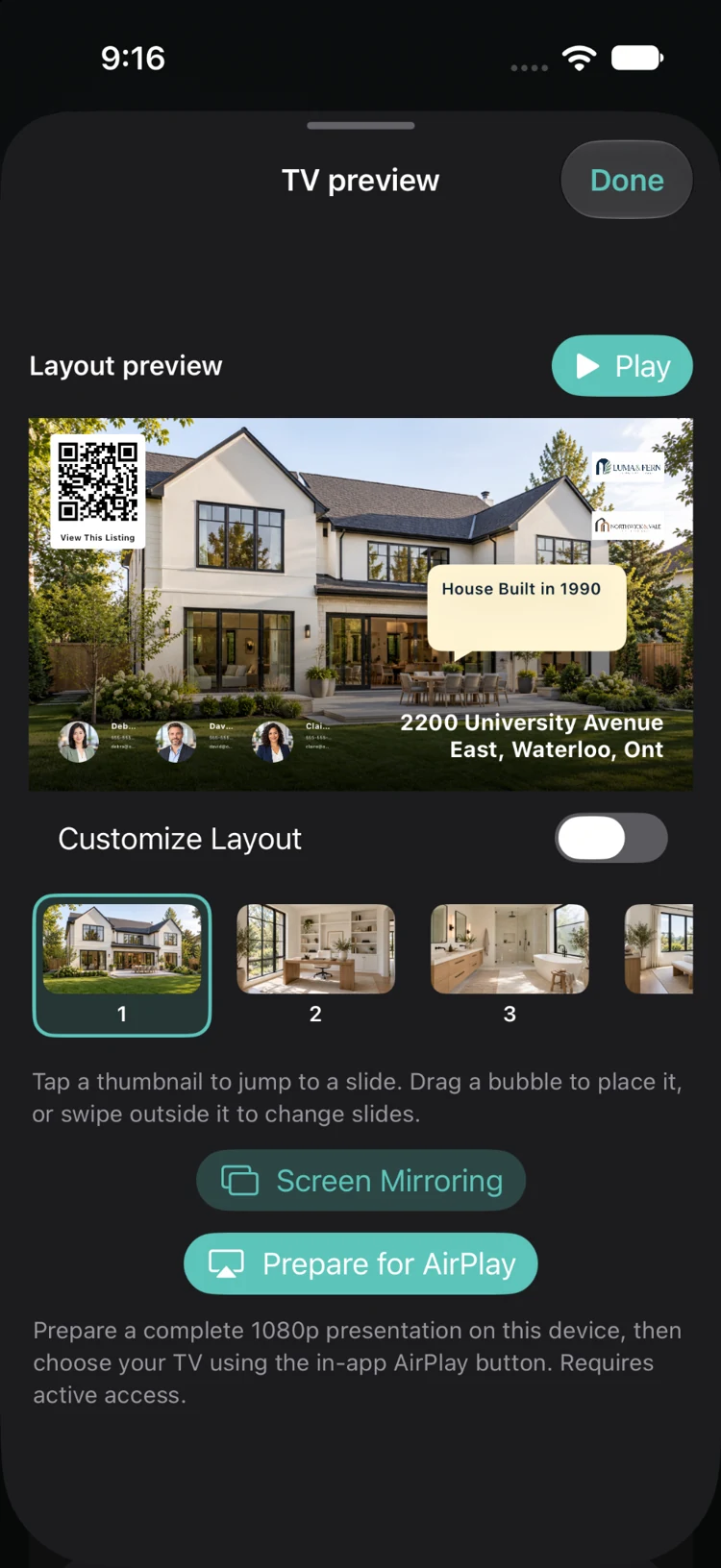
See your photos, comments, logos and QR code together.
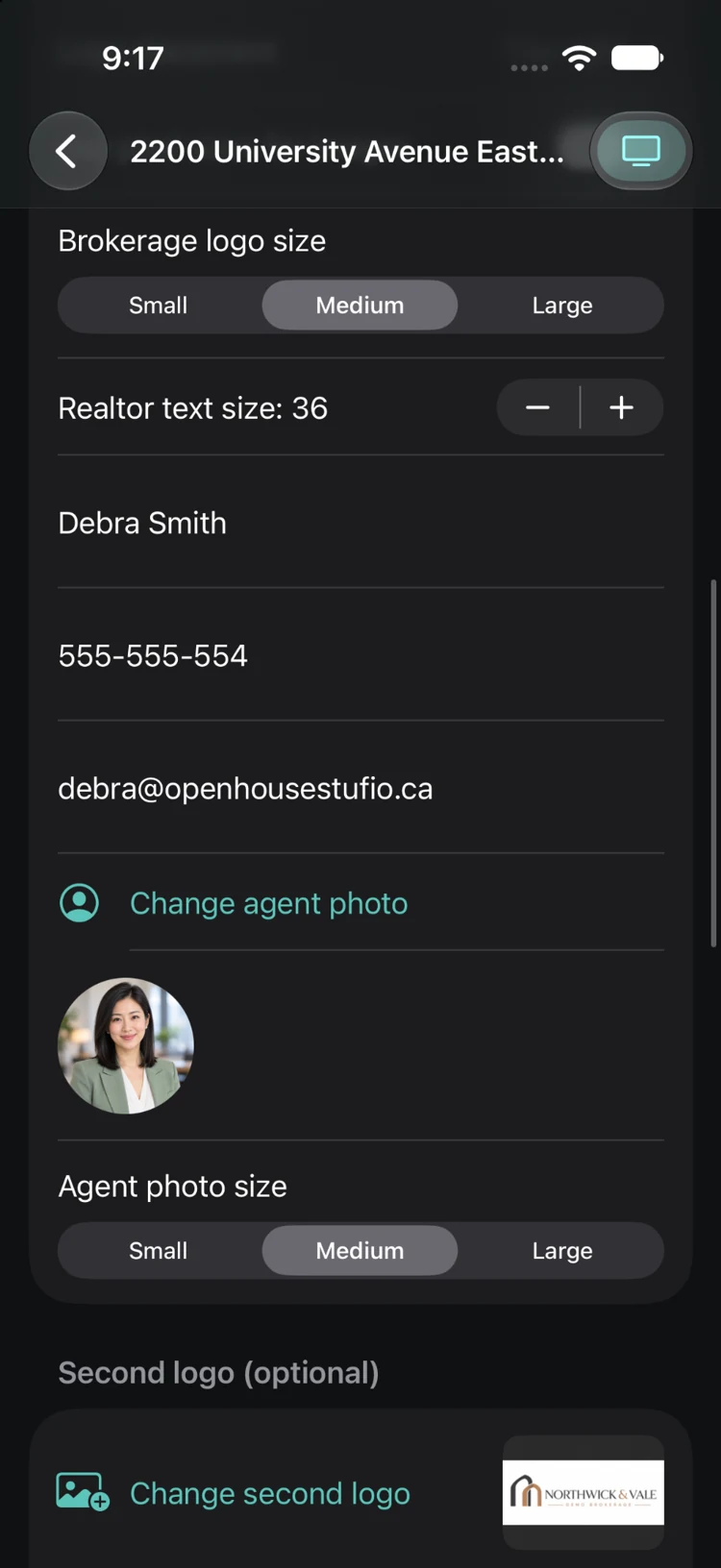
Add realtor profiles and choose your logo and text sizes.
Actual app screenshots with demonstration content. Select an image to view it in full.
BUILT AROUND YOUR BRAND
Prepare on your iPhone or iPad. Make the details yours, share drafts and pairings between devices, and give visitors a reason to look closer.
Show up to three realtors side by side, with aligned names even when phone or email details are omitted. Hide everyone or individual profiles, match text sizes, and choose small, medium or large image sizes—with optional pixel controls.
Move realtor profiles, logos, the visitor QR code and other overlay objects in Preview. Your global layout applies across the slideshow; photo comments keep their own positions for each image.
Use photos, transparent PNGs or animated GIFs for up to two logos. Position and size them independently. You control both logos.
Add a visitor QR code for a URL you choose—such as the property’s REALTOR.ca listing. Give it a title and adjust its size and transparency to suit your presentation.
Choose full-screen fill or whole-photo fit for each image, then use the thumbnail carousel to jump straight to a photo or video in Preview. Reorder your media; newly imported videos go to the top.
Add multiple comments to a photo, drag them into place, and choose when they appear and how long they stay. Photo display time extends automatically to accommodate comments. Comments sit above every other overlay, with optional bubble sounds.
Use the same app account to sync drafts, media, presentation settings and Apple TV pairings. Clearing a pairing is reflected on your other device. No shared Apple ID or iCloud setup is required. Your phone and tablet can lock normally.
Loop an included instrumental or upload an audio file up to 100 MB. Mute all videos or individual clips, and choose whether each video silences the background music. Use audio you have permission to play.
Use the TV remote to skip, go back, pause or choose another saved open house. From the app, clear the current listing from its paired TVs or clear all accessible TV assignments while keeping the saved drafts.
BUILT FOR YOUR OPEN HOUSE.
OPEN HOUSE STUDIO
For individual realtors who want full control over their presentations, logos and layout.
The second TV is mirroring only: it does not add independent listings. Apple TV’s companion app is free.
READY WHEN YOU ARE
Drafts and downloaded media stay on your iPhone or iPad for offline use. Use the same app account on each device. Sync warns before a cellular upload; automatic media sync and downloads require Wi-Fi.
Saved drafts stay for seven days after uploading changes or tapping Sync. Downloads do not extend that period. If the server copy expires, Sync reuploads it from a device with a local copy. Unchanged media is reused when updating a listing.
Published TV metadata expires after approximately one hour; media needed by a saved draft stays for its retention period. Apple TV plays its downloaded presentation until replaced or cleared. tvOS can reclaim cached media if storage is low.
A FEW PRACTICAL DETAILS
Yes. The two-TV realtor plan mirrors the primary TV’s same three listings to a second TV. Each TV controls its own playback timing.
No. Clearing the current listing removes its published presentation and TV pairings while preserving the saved draft. Clear all removes all TV assignments you can access. Connected TVs receive the clearing instruction; offline TVs receive it when they reconnect. Deleting a draft is a separate action.
Yes. Save your draft, sync it to another device if needed, then scan or enter the TV code and publish when ready. Publishing is manual; adding an open-house date does not schedule an upload.
You can prepare local drafts without an active subscription. The realtor app requires an active subscription or eligible trial for server uploads and Apple TV pairing. The Apple TV app has no subscriptions or purchases.
Use your email address as your account login and verify it when creating an account. Forgot Password sends a recovery link to your verified email. Account deletion is available in the app with an exact typed confirmation.
Use uploaded audio files or the included instrumentals. Protected Apple Music subscription downloads cannot be uploaded. Choose music you have the rights and permissions to play at your open house.
FOR YOUR NEXT OPEN HOUSE
Have a question about Open House Studio?
We’re here to help.